Recruiting operations
Professional Human Resources gives motor carriers one operating environment for the work between a driver's first response and the carrier's qualification decision.
Applications, communications, recruiter notes, follow-up, signed forms, documents, and the completed application package remain connected to the same applicant record.
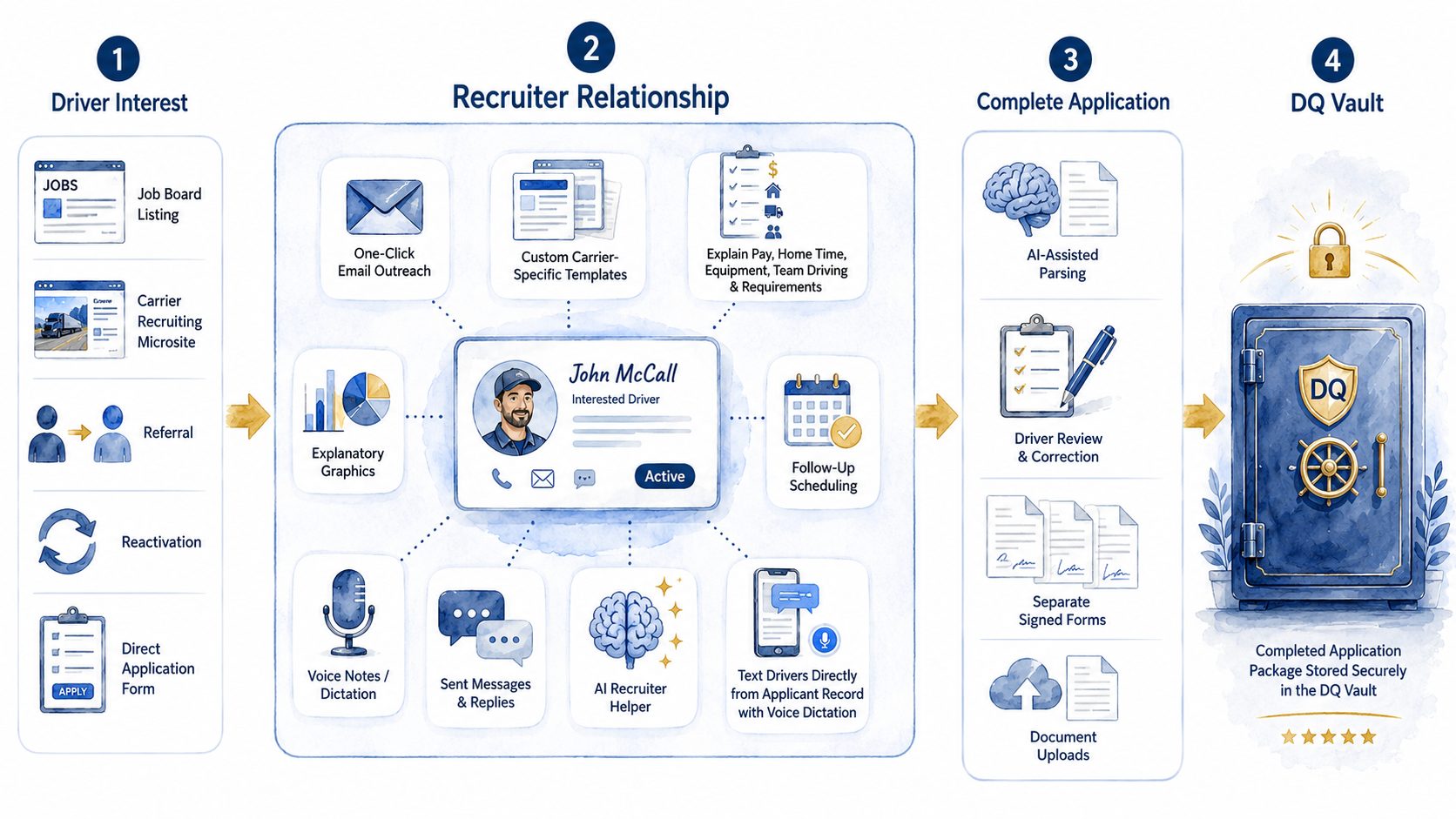
1. Driver Interest: Job Board Listing. Carrier Recruiting Microsite. Referral. Reactivation. Direct Application Form.
2. Recruiter Relationship: One-Click Email Outreach. Custom Carrier-Specific Templates. Explain Pay, Home Time, Equipment, Team Driving & Requirements. Explanatory Graphics. Follow-Up Scheduling. Voice Notes / Dictation. Sent Messages & Replies. AI Recruiter Helper. Text Drivers Directly from Applicant Record with Voice Dictation. Sample record at the center: John McCall, Interested Driver, Active.
3. Complete Application: AI-Assisted Parsing. Driver Review & Correction. Separate Signed Forms. Document Uploads.
4. DQ Vault: Completed Application Package Stored Securely in the DQ Vault.
From driver interest to a carrier-ready package
- Driver interest — Applicants arrive from job listings, the carrier recruiting page, referrals, reactivation campaigns, or a direct application.
- Recruiter relationship — The recruiter explains the job, answers questions, and gets the application and required forms signed.
- Complete application — Signed forms, CDL, and medical card are collected and organized against a checklist, so the recruiter can see what's still missing.
- Secure package — The completed materials remain inside the logged-in system and can be compiled into a dated PDF and ZIP package for carrier review.
- Carrier review — The carrier's safety department retrieves required records, verifies the application and supporting documents, performs required testing and review, and qualifies or declines the applicant. DQ Vault organizes the file; the qualification decision is always the carrier's.
What Recruiting Operations does for the carrier
One applicant record
Email, texts, notes, replies, scheduling, job information, forms, and status remain connected to the same driver. Recruiters spend less time switching between tools, and the carrier can reduce lost context and missed follow-up.
Communications and follow-up
One-click email, carrier-specific templates, texting, dictated voice notes, and follow-up scheduling keep the recruiter's work attached to the driver record instead of scattered across inboxes, phones, and separate calendars. The AI Recruiter Helper answers routine questions about the applicant's carrier, job, pay structure, home time, and requirements from inside the same record. Open the live guided demo →
Applicant reactivation
Prior applicants can be reviewed, contacted, reassigned, and returned to the active recruiting pipeline — the carrier can obtain more value from applicants and advertising it has already paid for.
Application and documents
The base employment application, separately signed forms configured for the carrier, CDL images, medical card, and supporting documents can be collected through the same operating process. AI-assisted parsing can help turn resumes and raw applicant information into structured application data; recruiters and carriers remain responsible for reviewing it.
Carrier recruiting microsite
One public link combines the company description, current jobs, safety report card, federal-record information, carrier response, an AI Job Assistant, and application access — a more credible and complete recruiting destination across ads, email, text, social media, and the carrier's own website.
Management visibility
Managers can see applicant status and recruiter activity from the same records recruiters use. The purpose is not to create a separate reporting burden; it is to make the existing recruiting work visible.
Implementation
The recruiting operation is configured around the carrier's jobs, requirements, people, and existing recruiting process.
Review
Review the carrier's current recruiting operation, applicant sources, jobs, workflow, and handoff requirements.
Configure
Configure jobs, requirements, templates, users, forms, permissions, and workflow.
Launch
Launch the carrier recruiting page, communications, and applicant intake.
Train
Train recruiters and managers, confirm responsibilities, and establish management visibility.
Flexible by design
The recruiting operation can serve as the carrier's recruiting and application software or work alongside an existing carrier safety and compliance process. No other recruiting software is required.
Integration or data handoff to an existing carrier system is custom work and is not included by default.